
Bloomberg Terminal Alternatives for Individual Traders


Contents
- Bloomberg Terminal alternatives in 30 seconds
- Which part of a Bloomberg Terminal do you actually need?
- The alternatives compared
- What the free plans include
- Koyfin: fundamentals and dashboards
- Finviz: fast screening of US stocks
- Barchart: futures, commodities and options
- TradingView: charts and alerts
- InvestingPro: valuation and stock research
- Prices on the same basis
- Institutional alternatives
- How to choose
- My conclusion on Bloomberg alternatives
- Frequently asked questions about Bloomberg Terminal alternatives
- About the author
No tool for private traders replaces a Bloomberg Terminal, but several replace the part you would actually use. A Terminal costs about $32,000 a year according to reported 2025 rates (see our Bloomberg Terminal guide), and most of that pays for institutional data, analytics and a messaging network that private traders rarely need. What remains is a short list of jobs: charts, quotes, fundamentals, screening and news.
This guide matches those jobs to tools that cost a fraction of a Terminal. It compares Koyfin, Finviz, Barchart, TradingView and InvestingPro on the same criteria, with prices from the providers’ own pages and their dates. We use TradingView and InvestingPro ourselves; Koyfin, Finviz and Barchart we have not tested, so everything about them comes from their own documentation. This article follows our editorial policy.
Bloomberg Terminal alternatives in 30 seconds
- No full replacement: none of these tools offers Bloomberg’s institutional data depth or its messaging network with brokers and counterparties.
- Fundamentals and dashboards: Koyfin focuses on financial statements, estimates and market dashboards; Plus costs $39 a month billed yearly.
- Fast stock screening: Finviz screens US-listed stocks; the free version is delayed, Elite is real-time from $299.50 a year.
- Futures and options data: Barchart covers futures, commodities and options; Premier costs $29.95 a month, and its quotes stay delayed.
- Charts: TradingView is the charting tool; real-time stock and futures data is a separate add-on for many exchanges.
Which part of a Bloomberg Terminal do you actually need?
Start with the job, not with the brand. A Terminal bundles real-time data, news, fundamental data, analytics, trading and messaging. A private trader usually needs two or three of those, and each one is available on its own at a far lower price.
What do you mainly use market data for?
- Financial statements, estimates and market dashboardsKoyfin
- Fast screening of US stocksFinviz
- Futures, commodities and options dataBarchart
- Charts, indicators and price alertsTradingView
- Fair value models and stock researchInvestingPro
- Institutional data, analytics and the networkBloomberg or another institutional system
We use TradingView and InvestingPro ourselves; Koyfin, Finviz and Barchart are described from their own pages. Click a tool to jump to its section.
The alternatives compared
The table compares the tools on what separates them most: their main job and how current their quotes are. Data timeliness matters because a delayed quote is fine for research but not for intraday trading. All details come from the providers’ pages on October 20, 2026, unless the note says otherwise.
| Tool and main job | Quotes |
|---|---|
| Koyfin: fundamentals and dashboards | US: live (IEX) and 15-min delayed |
| Finviz: US stock screening | Free delayed, Elite real-time |
| Barchart: futures and options | Stocks 15 min, futures 10 to 15 min delayed |
| TradingView: charts and alerts | Free Cboe feed for US stocks, others as add-ons |
| InvestingPro: valuation | Not verified by us |
Koyfin’s data statement comes from its help center (page dated September 26, 2024). TradingView and InvestingPro details come from our own reviews.
What the free plans include
The free plans differ more than their names suggest, so check the limit that matters for your job. The list uses the providers’ own descriptions from October 20, 2026; where a provider does not state a point, we say so. Export and news are the two points most often missing.
- Koyfin Free: two years of financials, one year of estimates, two watchlists and two screens, limited news. Plus adds filings, transcripts and premium news. Export is not described on the pricing page.
- Finviz free: delayed data, three years of financial statements, basic filters, 50 portfolios. News alerts are part of Elite; news on the free version is not described on the Elite page. Export to Excel or CSV is Elite only.
- Barchart free: one watchlist, one portfolio, one saved screener and basic price alerts; Premier adds CSV downloads. News coverage is not compared on the membership page.
- TradingView Basic: the free plan with the free Cboe feed for US stocks. Its exact limits, news and export were not verified for this comparison; our TradingView review covers the plans.
- InvestingPro: the free Investing.com portal keeps quotes, news and the economic calendar, and a free account includes five WarrenAI messages; the InvestingPro analysis tools sit on top as paid plans. Export was not verified for this comparison.
Koyfin: fundamentals and dashboards
Koyfin is built around financial statements, estimates and market dashboards rather than trading. The Free plan includes two years of financials and one year of estimates, two watchlists and two screens. Plus adds ten years of financials and estimates, ETF holdings, the stock and ETF screener and filings and transcripts, according to Koyfin’s pricing page.
Plus costs $39 a month billed yearly or $49 billed monthly; Premium costs $79 or $110. Koyfin offers a 30-day refund on purchases. Its help center describes US stock prices as a combination of live data from IEX and 15-minute delayed data from the consolidated tape; Canadian prices are 15 minutes delayed and other countries end of day. That makes Koyfin a research tool, not a trading screen.
Finviz: fast screening of US stocks
Finviz is a screener for US-listed stocks that works in the browser without installation. The free version, for registered users, shows delayed data, three years of financial statements and basic filters. Elite adds real-time quotes including pre-market and after-hours, eight years of financials, advanced filters, alerts and export to Excel or CSV, according to Finviz’s Elite page.
Elite costs $39.50 a month or $299.50 a year, about $24.96 a month. A free trial is available but requires a credit card and renews automatically. Finviz is strong for one job: narrowing thousands of US stocks down to a short list. It is not built for futures, forex or deep fundamental models.
Barchart: futures, commodities and options
Barchart covers futures, commodities and options more broadly than the other tools here. Premier adds advanced options screeners, unusual options activity, historical data from January 2000, CSV downloads and price alerts including SMS, according to Barchart’s membership comparison.
Premier costs $29.95 a month, $239.95 a year or $419.95 for two years, after a 30-day free trial. That is what Barchart’s subscription page shows; Barchart Plus is listed “from $9.99” a month without the billing basis stated. Note what Premier does not change, and that also applies to its alerts: the site states that stock quotes are 15 minutes delayed (except Cboe BZX) and futures quotes 10 or 15 minutes delayed. Fundamental data comes from Zacks and Morningstar.
TradingView: charts and alerts
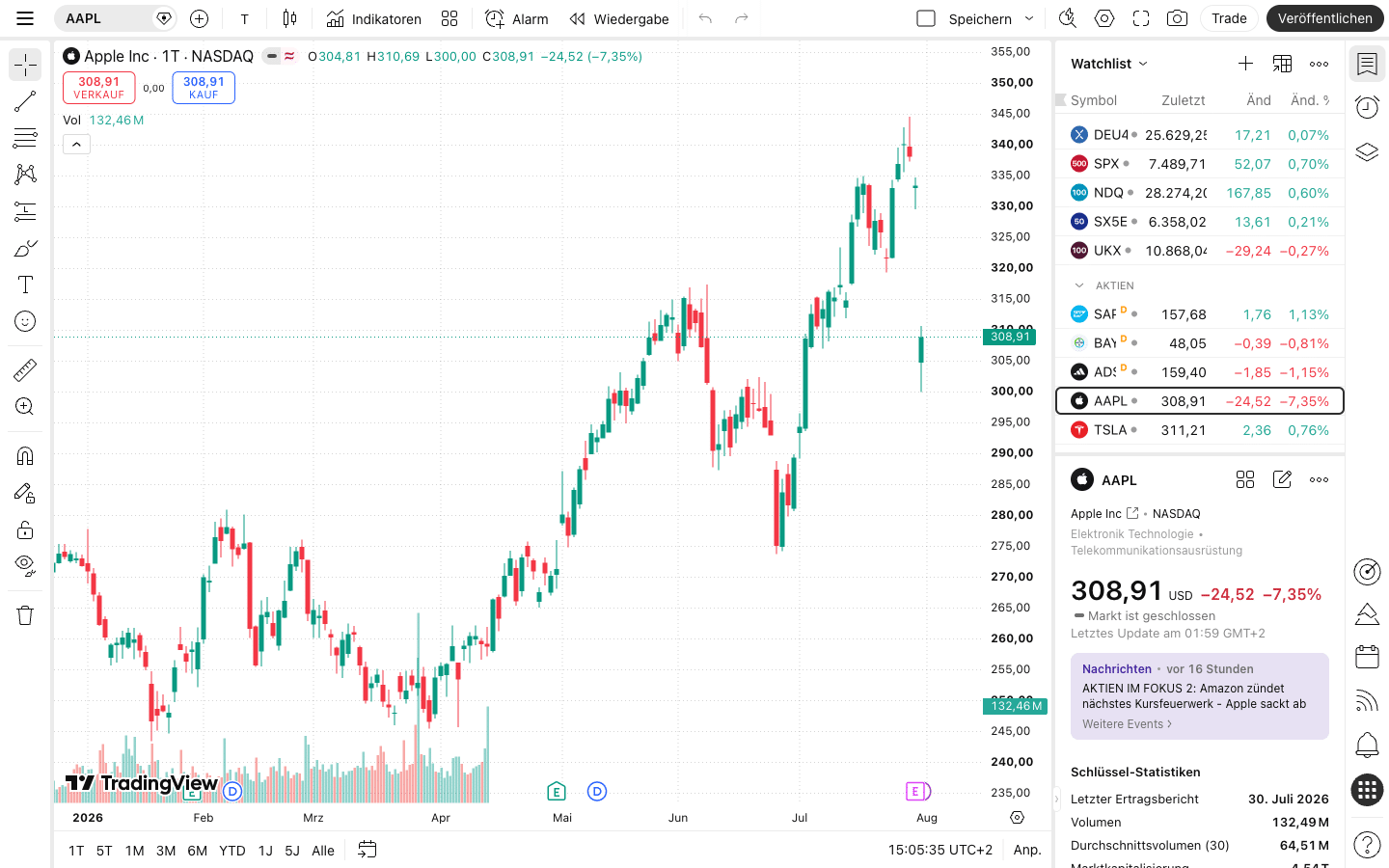
TradingView is the charting tool most private traders already know. We have used it as paying customers since 2017 and cover it in detail in our TradingView review. The Essential plan costs $14.95 a month or $12.95 a month billed yearly, as of September 4, 2026.
Its limit as a research terminal is data, not charts. US stocks come with a free Cboe feed; real-time data from many other exchanges is a paid add-on, and the fees vary by exchange, bundle and professional status. Our review lists the US stock bundle and CME futures data at $9.95 a month each for non-professional users. Fundamental data exists but is not the core of the platform.
 Click to enlarge
Source: Kagels Trading, own screenshot.
If TradingView itself does not fit, look at other platforms rather than at research tools. Our comparison of TradingView alternatives covers charting platforms with other strengths, such as order flow or automated trading.
InvestingPro: valuation and stock research
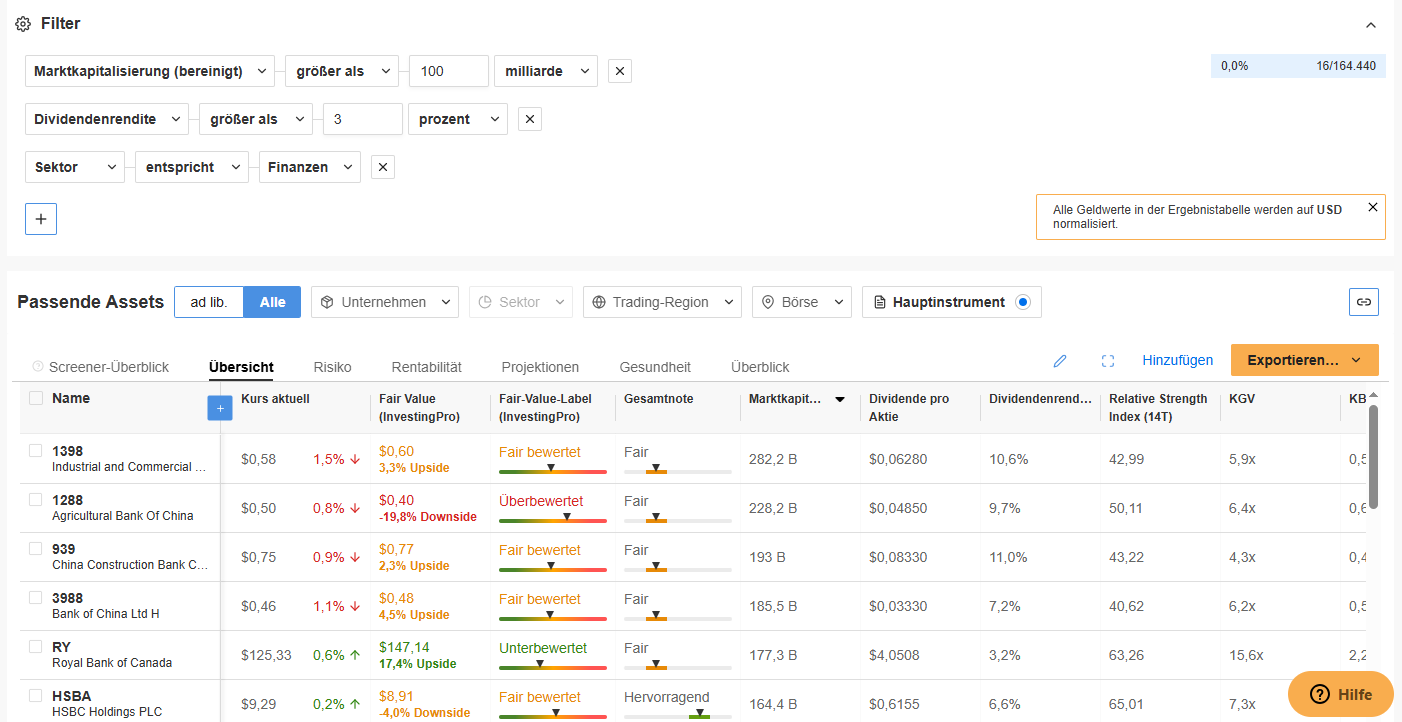
InvestingPro adds fair value models, a stock screener and an AI assistant to Investing.com. According to the Investing.com help center, its data providers include S&P Global, Morningstar, FactSet and Refinitiv. The details, including its valuation models and their limits, are in our InvestingPro review.
 Click to enlarge
Source: Kagels Trading, own screenshot.
We saw only euro prices when we checked from Germany on October 8, 2026. Pro cost €9.49 a month on a yearly plan during a sale, before VAT. Prices for US visitors can differ, so check the plans page from your own location.
Prices on the same basis
Compared on monthly billing, all four paid tools with dollar prices stay below $50 a month. Yearly plans are cheaper in every case, but they commit you for twelve months. Compare like with like before you decide.
Providers' pages on October 20, 2026; TradingView from our review (September 4, 2026), InvestingPro from our review (October 8, 2026, euro price, so no bar). Real-time exchange data can cost extra. A Bloomberg Terminal is reported at about $2,665 a month for a single Terminal (2025 rate), which would not fit on this scale.
Institutional alternatives
If you need institutional depth, the alternatives are institutional systems, not cheaper retail tools. The names that come up most are LSEG Workspace, FactSet and S&P Capital IQ. According to LSEG, its older product Eikon was withdrawn on June 30, 2025 and replaced by Workspace. Prices for these systems are agreed individually, so we do not quote any.
None of them is a weekend purchase. They are sold to firms with contracts, onboarding and data licenses. For a private trader the question is almost never Bloomberg versus LSEG, but whether a retail tool covers the job at all.
How to choose
Pick the tool for your main job, then check three things before you pay. These checks prevent the most common disappointment: a tool that looks complete in the demo but lacks the data you need.
- Data timeliness: is the quote real-time for your market, or delayed? Delayed data is fine for research, not for intraday decisions.
- Market coverage: does it cover your instruments? Finviz focuses on US stocks, Barchart on futures and options, Koyfin on fundamentals.
- Billing terms: the cheap monthly figure is often a yearly plan. Check the monthly price, the renewal and the refund window.
My conclusion on Bloomberg alternatives
For private traders, the right question is not which tool replaces Bloomberg, but which tool does the one job they need. I trade price action, so charts and clean prices matter most to me, and TradingView covers that. For screening US stocks, Finviz is a common choice; for fundamentals and dashboards, Koyfin; for futures and options data, Barchart.
None of these tools gives you Bloomberg’s network, and most private traders do not need it. Spending a few hundred dollars a year on the right tool leaves more money for training and for your trading account. Check the data timeliness before you rely on any of them for live decisions.
Frequently asked questions about Bloomberg Terminal alternatives
What is the best alternative to a Bloomberg Terminal?
There is no single best alternative, because no tool covers everything a Terminal does. For fundamentals and dashboards, many investors look at Koyfin; for screening US stocks, Finviz; for futures and options, Barchart; for charts, TradingView. Choose by the job you need done.
Is there a free alternative to the Bloomberg Terminal?
Several tools have free plans, but they are limited and mostly delayed. Finviz, Koyfin, Barchart and TradingView all offer free versions. They work for research and learning; for real-time trading you usually need a paid plan and sometimes separate exchange data.
Is Koyfin as good as Bloomberg?
No, and Koyfin is not built to be. It covers fundamentals, estimates and dashboards for private investors at a small fraction of the price. It has neither Bloomberg’s institutional data depth nor its messaging network. We have not tested Koyfin ourselves.
What do professionals use instead of Bloomberg?
Firms that do not use Bloomberg mostly use another institutional system. The names that come up most are LSEG Workspace, FactSet and S&P Capital IQ, all with individually agreed prices. Retail tools are a different category.